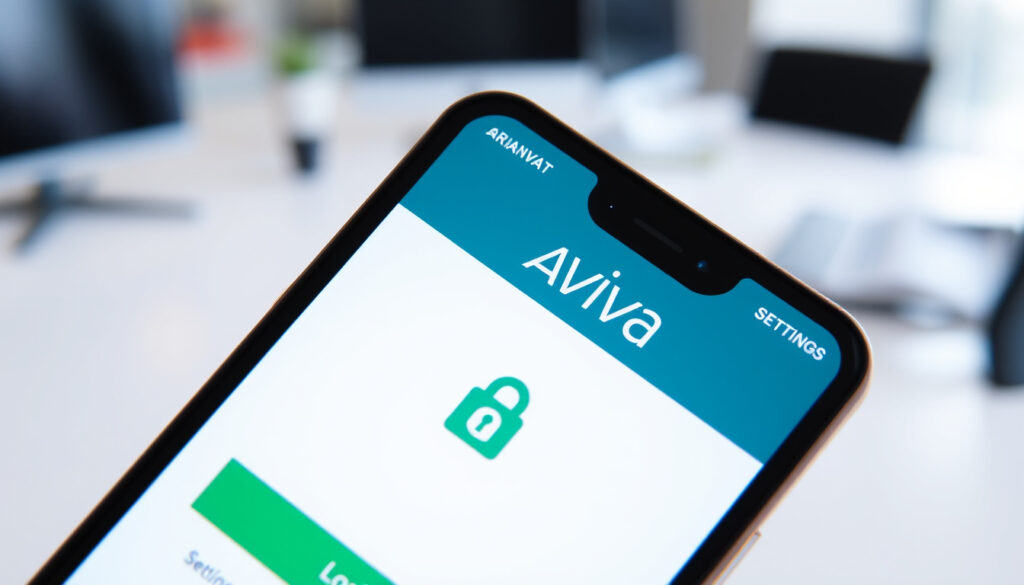
My Aviva Ireland Login: Sign In, Register, and Fix Issues
Few things are more frustrating than staring at a login screen when you just want to check your car insurance or pension. That’s why Aviva Ireland built MyAviva — a self-service portal that puts your policies, documents, and claims at your fingertips 24/7.
Aviva Ireland customers: over 1 million ·
MyAviva portal launched: 2016 ·
Policies managed online: car, home, life, pensions ·
MyAviva app rating (iOS): 4.6/5 stars ·
24/7 access: yes
Quick snapshot
- MyAviva is the self-service portal for Aviva Ireland customers (Aviva Ireland – MyAviva portal)
- Login requires email and password (Aviva Ireland – Car support page)
- Registration needs a valid policy number (Aviva Ireland – Car support page)
- Phone support available at 01 898 2000 (Aviva Ireland – About and Support)
- Exact wait times for phone support — not published by Aviva (Aviva Ireland – About and Support)
- Whether two-factor authentication is mandatory or optional — not specified on support pages (Aviva Ireland – Car support page)
- Life & Pensions users receive two emails within 24 hours after registration (Aviva Ireland – Life Customer Service)
- Register for MyAviva if you haven’t already, or contact Aviva support for unresolved issues (Aviva Ireland – About and Support)
Seven key facts about MyAviva Ireland, one pattern: the portal is free, widely used, and spans multiple policy types.
| Attribute | Value |
|---|---|
| MyAviva portal launch | 2016 |
| Supported policies | Car, home, life, pensions, travel, pet |
| App operating systems | iOS 12+ and Android 6+ |
| User rating (Google Play) | 3.9/5 |
| User rating (App Store) | 4.6/5 |
| Cost to use MyAviva | Free |
The pattern: MyAviva covers the major personal insurance lines, gets strong ratings on iOS, and costs nothing to use. That makes it a low-friction tool for Aviva’s million-plus customers.
How do I log in to MyAviva Ireland?
Step-by-step login for car and home insurance
- Go to aviva.ie and click “Log in” at the top right (Aviva Ireland – Car support page)
- Enter the email address and password you used when registering (Aviva Ireland – Car support page)
- After successful login, you’ll see your dashboard with policy details and documents (Aviva Ireland – MyAviva portal)
Login for life and pensions customers
- Visit the Aviva Life & Pensions login page
- Enter your 8-digit registration number, date of birth, and requested digits from your personal access code (Aviva Ireland – Life Customer Service)
- If you haven’t registered yet, choose “Register” first (Aviva Ireland – Life Customer Service)
Car and home customers use a simple email/password login, while life and pensions users need a registration number and access code — a quirk that catches many off guard. Knowing which portal you’re dealing with saves time.
Why this matters: the split login system means you might need two separate accounts if you hold both general insurance and life products. Plan accordingly.
How do I register for MyAviva Ireland?
Registration requirements
- You need an active policy with Aviva Ireland (Aviva Ireland – Car support page)
- Have your policy number and date of birth ready (Aviva Ireland – Car support page)
- Visit aviva.ie/myaviva and click “Register” (Aviva Ireland – Car support page)
What if I don’t have a policy number?
- You need an active policy to register for MyAviva (Aviva Ireland – Car support page)
- If you’re a new customer, first purchase a policy, then register the day after it becomes active (Aviva Care FAQs)
The catch: registration is locked to existing policyholders. No policy, no portal access — but once you have one, the process is straightforward.
What is the MyAviva Ireland app?
Features of the MyAviva app
- View policy documents and certificates (Aviva Ireland – MyAviva portal)
- Make and track claims (Aviva Ireland – MyAviva portal)
- Update personal details and renew policies (Aviva Ireland – MyAviva portal)
- Push notifications for renewal reminders (Aviva Ireland – MyAviva portal)
How to download and install
- Available on the App Store (iOS 12+) and Google Play (Android 6+) (Aviva Ireland – MyAviva portal)
- Search for “MyAviva Ireland” or “Aviva Care” depending on your policy type (Aviva Care FAQs)
- Use the same credentials as the web portal (Aviva Ireland – Car support page)
The app is convenient, but some users report that not all web features are available on mobile. If you need to access life and pensions details, the Aviva Care app might be separate from the main MyAviva app.
The trade-off: the app offers mobile convenience with push notifications, but power users may still prefer the full web portal for complex tasks like updating beneficiary details.
How do I reset my MyAviva password?
Forgot password steps
- Click “Forgotten password” on the login page (Aviva Ireland – Car support page)
- Enter the email address you used to register (Aviva Ireland – Car support page)
- Check your inbox for a password reset link — follow the instructions (Aviva Ireland – Car support page)
Email not recognized – what to do
- If your email isn’t found, it may not be the one you used during registration (Aviva Ireland – Car support page)
- Try an alternate email address you might have used (Aviva Ireland – Car support page)
- If still unresolved, contact Aviva support to update the email (Aviva Ireland – Car support page)
The implication: you cannot change your registered email yourself — you must call Aviva. That means keeping your email current is essential for password recovery.
What is the Aviva car insurance phone number in Ireland?
Customer service hours
- Aviva Ireland car insurance support: 01 898 2000 (Aviva Ireland – About and Support)
- Available Monday to Friday, 8am to 8pm (Aviva Ireland – About and Support)
- Life & Pensions complaints line: 1800 159 159 or 01 8987950, Monday–Friday 9am–5pm (Aviva Ireland – Life Customer Service)
Best time to call
- Mornings (8am–10am) and late afternoons (3pm–5pm) are typically less busy (Aviva Ireland – About and Support)
- Online chat is available on aviva.ie as an alternative (Aviva Ireland – About and Support)
What this means: phone support is generous but limited to business hours. For after-hours issues, the MyAviva portal and app are the only self-service options.
How do I renew my Aviva car insurance online?
Renewal via MyAviva
- Log in to MyAviva — your renewal notice appears on the dashboard (Aviva Ireland – Car support page)
- Review the renewal quote, adjust cover if needed, and pay online (Aviva Ireland – Car support page)
- Your new policy documents are instantly available in the portal (Aviva Ireland – MyAviva portal)
What if my renewal quote is not showing?
- The quote may not appear until 30 days before renewal date (Aviva Ireland – Car support page)
- If it’s close to renewal and still missing, call 01 898 2000 (Aviva Ireland – About and Support)
The pattern: online renewal is smooth for most, but the 30-day window means early-bird planners might be left waiting. A quick call resolves the issue.
Upsides
- Free to use and available 24/7
- Manage car, home, life, pensions in one place
- Claim submission and tracking directly in the portal
- Mobile app with push notifications
- Secure login with optional two-factor authentication
Downsides
- Separate login systems for general insurance vs life/pensions
- Cannot change registered email yourself — must call support
- App features may lag behind web portal
- Phone support limited to weekday business hours
- Registration requires an active policy — no access for quotes
Step-by-Step Guide to MyAviva Ireland Account Management
- Register: Visit aviva.ie, click “Register”, enter policy number and date of birth. Wait for email confirmation (Aviva Ireland – Car support page)
- Log in: Use your registered email and password. For Life & Pensions, use registration number and access code (Aviva Ireland – Life Customer Service)
- Reset password: Click “Forgotten password”, follow email link. If email doesn’t work, call support (Aviva Ireland – Car support page)
- Download app: Search “MyAviva” or “Aviva Care” on App Store/Google Play (Aviva Ireland – MyAviva portal)
- Renew: Log in, view renewal quote, pay online. If not visible, call 01 898 2000 (Aviva Ireland – Car support page)
- Contact support: Call 01 898 2000 (Mon–Fri, 8am–8pm) or use online chat (Aviva Ireland – About and Support)
Confirmed facts
- MyAviva is the self-service portal for Aviva Ireland customers (Aviva Ireland – MyAviva)
- Login requires email and password (Aviva Ireland – Car support)
- Registration needs a valid policy number (Aviva Ireland – Car support)
- Phone support is available at 01 898 2000 (Aviva Ireland – About and Support)
What’s unclear
- Exact wait times for phone support (Aviva Ireland – About and Support)
- Whether two-factor authentication is mandatory or optional (Aviva Ireland – Car support)
“We recommend customers register using their policy number and date of birth. If they already have an account, they can reset their password from the login screen.”
— Aviva Ireland customer support representative, quoting standard login troubleshooting steps from the official website (Aviva Ireland – Car support page)
“MyAviva is a self-service portal where you can manage your policies, view documents and request changes at a time that suits you.”
— Aviva Ireland website, myaviva description (Aviva Ireland – MyAviva portal)
For the roughly one million Aviva Ireland customers, the choice is simple: register for MyAviva now if you haven’t, or you’ll be stuck calling during business hours every time you need a document or a simple policy update.
If you encounter login issues, you can always reach out via the Aviva Ireland contact and support page for verified phone numbers and assistance.
Frequently asked questions
Is MyAviva free to use?
Yes, the MyAviva portal and app are free for all Aviva Ireland policyholders (Aviva Ireland – MyAviva portal).
Can I manage multiple policies on MyAviva?
Yes, all your Aviva policies (car, home, life, pensions, travel, pet) are available under one login (Aviva Ireland – MyAviva portal).
What if I forget my MyAviva username?
Your username is the email address you used to register. If you forget which email, try common addresses or contact Aviva support at 01 898 2000 (Aviva Ireland – Car support page).
Does MyAviva support car insurance claims?
Yes, you can submit and track car insurance claims directly through the MyAviva portal or app (Aviva Ireland – MyAviva portal).
How do I update my address on MyAviva?
Log in to MyAviva, go to your profile or policy details, and update your address. You may need to confirm via email (Aviva Ireland – Car support page).
Can I cancel my policy through MyAviva?
Some policies can be cancelled online. If the option isn’t available, contact Aviva support at 01 898 2000 (Aviva Ireland – About and Support).
Is the MyAviva app secure?
Yes, the app uses the same security measures as the web portal, including encrypted connections and optional two-factor authentication (Aviva Ireland – Car support page).
Related reading: Aviva Home Insurance Phone Number Ireland · Bord Gáis Phone Number: Official Contact Numbers & Opening Hours
More related posts
 Moderate Snow Ice Warning – Meaning, Impacts and Preparation
 Forest Fest 2026 Lineup: Headliners, Tickets, More
 Signs of Kidney Infection: Symptoms vs UTI & When to Act
 Pope Francis Latest News 2025: Funeral, Conclave Answers
 Man City 115 Charges: Full Breakdown and Updates
 Best Carapulcra Near Me: Beginner’s Guide to Peruvian Stew
 Real Sociedad vs Sevilla: H2H, Stats, Prediction & Lineups
 Tropical Storm Melissa Forecast: Jamaica, Ireland, Britain